Waterfall Enrichment in Clay: The Complete Guide
How to set up waterfall enrichment in Clay to get 80-90% email coverage instead of 40-60% from a single provider. Includes provider rankings, cost per lookup, templates, and verification setup.
TL;DR: No single data provider finds every email. A waterfall chains 3-4 providers in sequence so each one fills gaps the last one missed. In Clay, this typically gets you 80-90% coverage vs. 40-60% from one provider. Start with Findymail (best accuracy), fall back to Hunter and Dropcontact, and verify everything before sending.
This guide covers the setup, recommended provider order, cost optimization, and templates you can copy into Clay today.
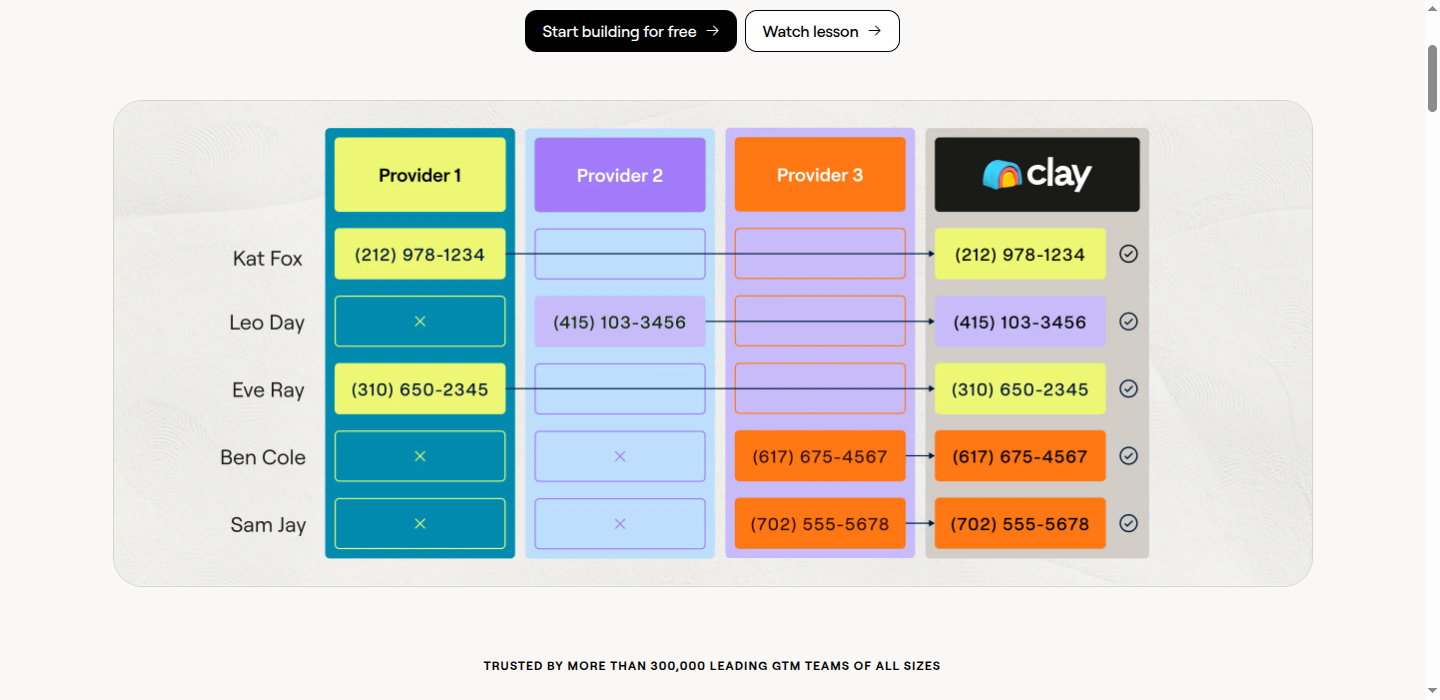
What is waterfall enrichment?
A waterfall works like this:
Input: First Name + Last Name + Company Domain
           │
           ▼
    ┌─────────────┐
    │  Provider 1 │ → Found email? → Use it ✓
    │ (Findymail) │
    └─────────────┘
           │ No result
           ▼
    ┌─────────────┐
    │  Provider 2 │ → Found email? → Use it ✓
    │   (Hunter)  │
    └─────────────┘
           │ No result
           ▼
    ┌─────────────┐
    │  Provider 3 │ → Found email? → Use it ✓
    │ (Dropcontact)│
    └─────────────┘
           │ No result
           ▼
    ┌─────────────┐
    │  Provider 4 │ → Found email? → Use it ✓
    │   (Apollo)  │
    └─────────────┘
           │ No result
           ▼
      No email found
Each provider only runs if the previous one failed. You only pay for successful lookups.
Why waterfall enrichment works
No single provider has everything
Every data provider has gaps:
| Provider | Strengths | Weaknesses |
|---|---|---|
| Findymail | Highest accuracy, catch-all verification, <5% bounce guarantee | Smaller raw database than Apollo |
| Apollo | Large database (270M+), good for tech/startups | Higher bounce rates, weaker outside tech |
| Hunter | Good for publicly listed emails, cheap | Misses emails not on websites |
| Dropcontact | Strong in Europe, GDPR compliant | Weaker US coverage |
| ZoomInfo | Enterprise coverage, intent data | Expensive, weaker for SMB |
By combining them, you cover each provider’s blind spots.
Real coverage numbers
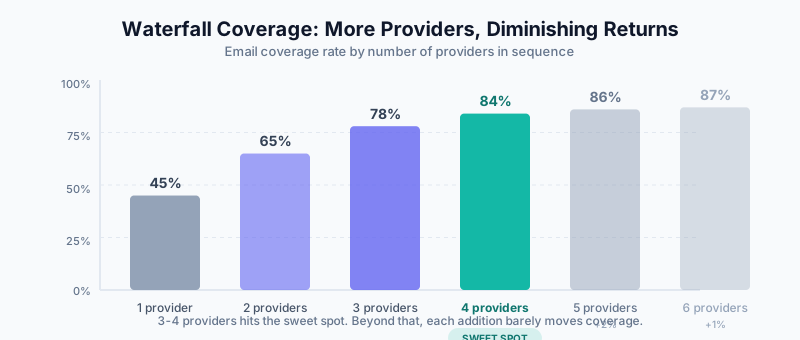
Here’s what we typically see with email enrichment:
| Approach | Coverage Rate | Cost Efficiency |
|---|---|---|
| Single provider | 40-55% | Baseline |
| 2-provider waterfall | 60-70% | Good |
| 3-provider waterfall | 75-85% | Excellent |
| 4+ provider waterfall | 80-90% | Diminishing returns |
The sweet spot is usually 3-4 providers. Beyond that, you get minimal additional coverage.
Setting up your first waterfall
Let’s build an email waterfall step by step.
Step 1: Create your table
Start with a Clay table containing:
- First name
- Last name
- Company name or domain
You can import from CSV, your CRM, or use Clay’s prospecting tools.
Step 2: Add your primary enrichment
Add your first email enrichment column:
- Click + Add Column
- Select Enrichment
- Choose your primary provider (Findymail for best accuracy)
- Map the input fields (name, company)
- Select the output field (work email)
Step 3: Add fallback enrichments
Now add your second provider:
- Click + Add Column
- Select Enrichment
- Choose your fallback provider (e.g., Hunter)
- Important: Set a condition so it only runs if the first column is empty
In Clay, you set this condition in the enrichment settings:
Only run when: {Findymail Email} is emptyRepeat for your third and fourth providers.
Step 4: Create the final email column
Add a formula column that consolidates all results:
COALESCE(
  {Findymail Email},
  {Hunter Email},
  {Dropcontact Email},
  {Apollo Email}
)
This returns the first non-empty value, which is your best email.
Step 5: Verify emails from fallback providers
Emails from Findymail are already verified (including catch-all domains). But emails from Hunter, Dropcontact, or Apollo need a verification pass:
- Add a Findymail Verifier column in Clay
- Set it to only run on rows where the email came from a non-Findymail source
- Filter out invalid results
Recommended provider sequences
Based on testing across thousands of records, and backed by Clay’s own independent benchmarks (which ranked Findymail #1 for email accuracy), here are the waterfall sequences we recommend:
Email finding waterfall
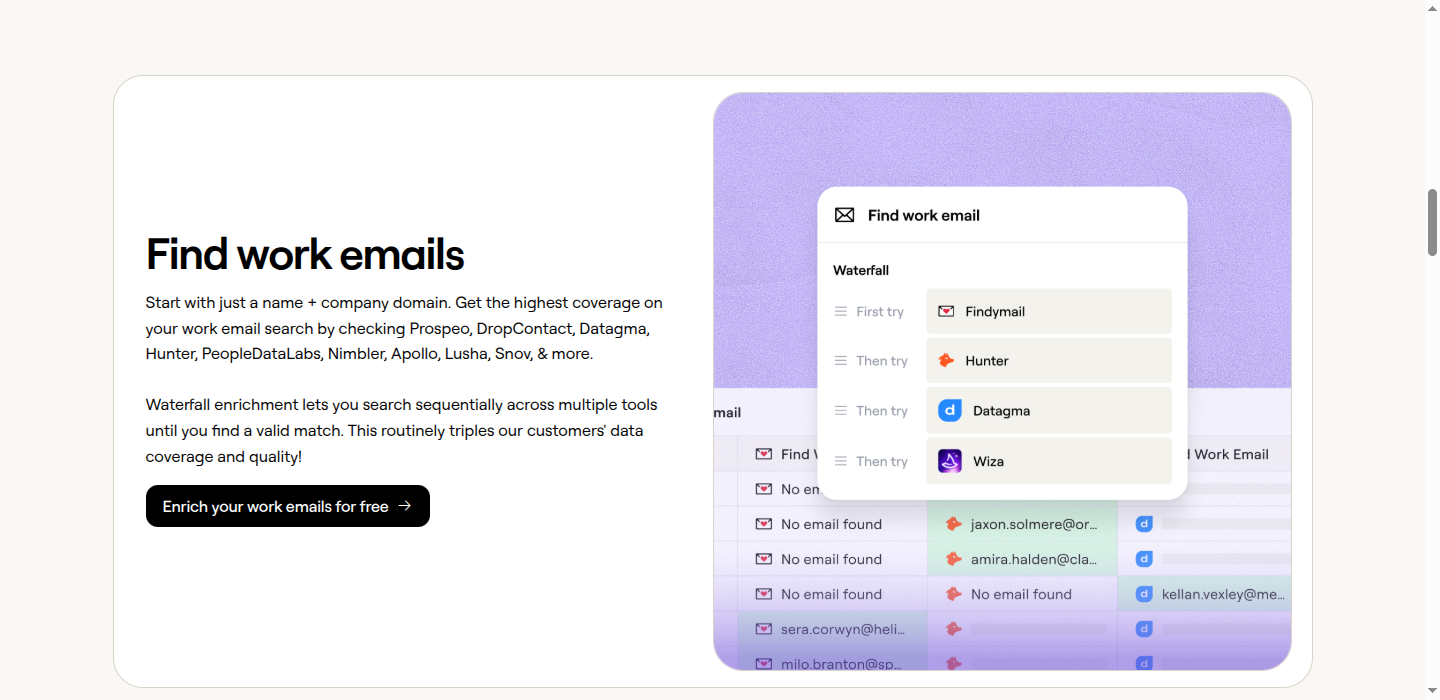
1. Findymail (highest accuracy, real-time verification built in)
      ↓
2. Hunter (strong for publicly listed emails)
      ↓
3. Dropcontact (excellent EU coverage, GDPR compliant)
      ↓
4. Apollo (large database, good fallback)
No separate verification step needed. Findymail verifies every email in real time before returning it, including catch-all domains that other providers either skip or guess on. The result is a guaranteed <5% bounce rate on Findymail-sourced emails. For emails sourced from Hunter, Dropcontact, or Apollo, run them through Findymail’s verifier as a final check rather than using a separate verification tool.
Why Findymail first?
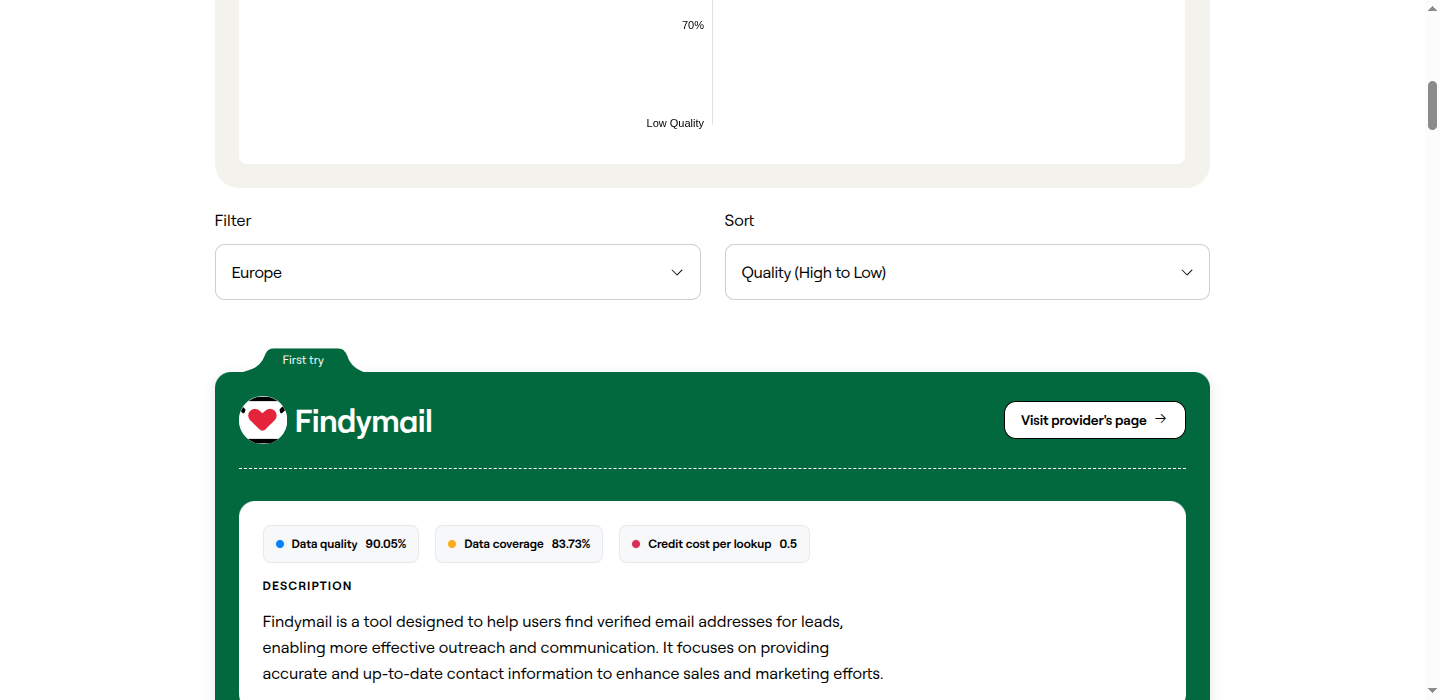
Most waterfall guides put Apollo or Hunter first because they have the largest databases. But database size isn’t the same as accuracy. Clay’s 2025 benchmark tests found Findymail returned 23% more valid emails than competitors. The difference comes from how Findymail handles catch-all domains.
Catch-all domains accept any email address, so most providers can’t tell if john@company.com is a real person or a dead alias. They either return unverified guesses or skip the domain entirely. Findymail has a proprietary catch-all verification engine that actually resolves these, which is why it consistently outperforms on accuracy even when other providers “find” more raw results.
Put another way: Apollo might return an email for 58% of your list, but 8-12% of those will bounce. Findymail might return an email for 50% of your list, but under 5% will bounce. When you factor in the fallback providers catching the rest, you get both high coverage and high accuracy.
Why not a separate verifier?
Traditional waterfalls add NeverBounce or ZeroBounce at the end. This works, but it adds cost and still can’t verify catch-all domains (most verifiers return “accept-all” or “unknown” for these). Findymail’s verification is built into both its finder and its standalone verifier, so you get catch-all resolution included. For emails from other providers in your waterfall, pass them through Findymail’s verifier column in Clay instead of a generic verification tool.
Phone number waterfall
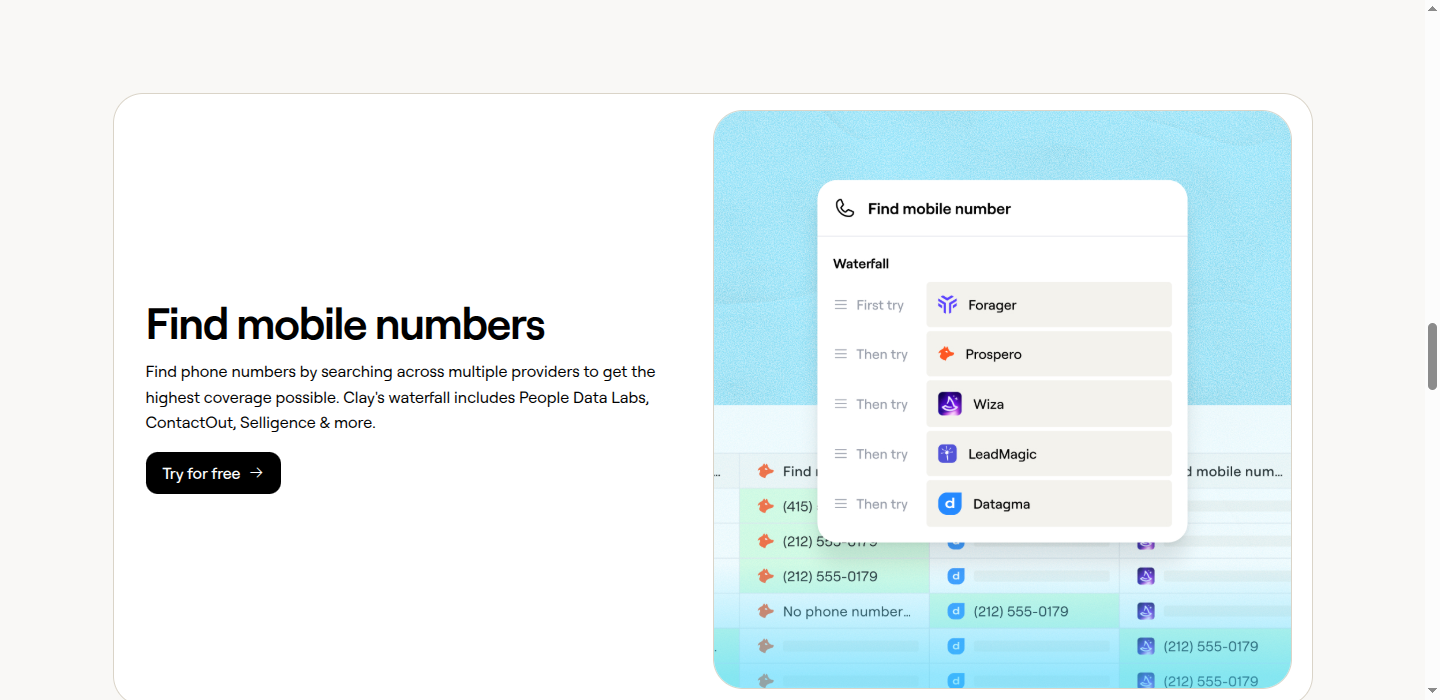
1. Apollo (includes direct dials)
      ↓
2. Cognism (strong EU phone data)
      ↓
3. Lusha (good direct dial coverage)
      ↓
4. RocketReach (fallback)
Company data waterfall
1. Clearbit (cleanest data, best coverage for tech)
      ↓
2. Apollo (broader industry coverage)
      ↓
3. PeopleDataLabs (backup with good global coverage)
Advanced waterfall strategies
Strategy 1: Conditional provider selection
Not all providers are equal for all segments. Use conditions:
IF {Industry} = "Technology" THEN
  Use Apollo first
ELSE IF {Country} = "Germany" THEN
  Use Dropcontact first
ELSE
  Use Hunter first
In Clay, you’d create separate enrichment columns with appropriate conditions.
Strategy 2: Cost optimization
If accuracy isn’t your top priority and you’re optimizing for spend, order by cost:
1. Hunter ($0.01/lookup)
      ↓
2. Apollo ($0.02/lookup)
      ↓
3. Findymail ($0.03/lookup, but includes verification)
      ↓
4. ZoomInfo ($0.10/lookup)
The tradeoff: cheaper providers tend to have higher bounce rates, so you may spend less on lookups but more on wasted sends. For most teams, accuracy-first ordering (Findymail, then cheaper fallbacks) costs less overall once you factor in bounce costs and sender reputation damage.
Strategy 3: Quality tiers
Create quality tiers in your output:
Tier 1: Verified email from primary source
Tier 2: Verified email from fallback source
Tier 3: Unverified email (use with caution)
Tier 4: No email found
Use different outreach strategies for each tier.
Strategy 4: Parallel then sequential
For maximum speed on large datasets:
Run in parallel:
  - Findymail
  - Hunter
  - Apollo

Then sequentially (only if all parallel failed):
  - Dropcontact
You lose the cost savings of a true waterfall (since parallel providers all run), but you get results faster. Use a COALESCE formula to pick the best result, prioritizing Findymail since its emails are pre-verified.
Common waterfall mistakes
Mistake 1: Not verifying emails
Most providers return emails without guaranteeing deliverability. Always verify, or use a provider like Findymail that verifies in real time.
Bad approach:
Apollo → Hunter → Send emailsGood approach:
Findymail → Hunter → Verify Hunter results with Findymail Verifier → SendMistake 2: Too many providers
More isn’t always better. After 4-5 providers, you hit diminishing returns and increase complexity.
Coverage by provider count:
- 1 provider: 45%
- 2 providers: 65%
- 3 providers: 78%
- 4 providers: 84%
- 5 providers: 86%
- 6 providers: 87%
The jump from 4 to 6 providers barely moves the needle.
Mistake 3: Wrong provider order
Provider order matters. Put your most accurate provider first, not necessarily the one with the biggest database.
Bad order (based on database size):
Apollo → ZoomInfo → Hunter → FindymailGood order (based on accuracy, then coverage):
Findymail → Hunter → Dropcontact → ApolloMistake 4: Ignoring regional strengths
US-focused providers may have weak coverage elsewhere:
| Region | Best providers for email | Best providers for phone |
|---|---|---|
| North America | Findymail, Apollo, Hunter | Apollo, ZoomInfo, Lusha |
| Europe | Dropcontact, Cognism, Findymail | Cognism, Kaspr, Lusha |
| APAC | Apollo, Findymail, Lusha | Apollo, Lusha, LeadIQ |
Findymail works globally but has its strongest coverage in North America and Western Europe. For Eastern Europe and APAC, pair it with region-specific providers.
Mistake 5: Not tracking provider performance
Monitor which providers actually deliver value:
Provider Performance (30-day sample):

Findymail:   1,000 lookups, 520 found (52%, <5% bounce rate)
Hunter:      480 lookups, 192 found (40%)
Dropcontact: 288 lookups, 101 found (35%)
Apollo:      187 lookups, 65 found (35%)

Total: 878 emails from 1,000 records (87.8% coverage)
If a provider consistently underperforms, replace it.
Waterfall templates
Copy-paste configs for common use cases:
Template 1: B2B email finding (US focus)
Column 1: Findymail (Find Email)
  - Input: First Name, Last Name, Company Domain
  - Run: Always
  - Note: Results are pre-verified, including catch-all domains

Column 2: Hunter (Email Finder)
  - Input: First Name, Last Name, Domain
  - Run: When Column 1 is empty

Column 3: Apollo (Find Email)
  - Input: First Name, Last Name, Company Domain
  - Run: When Column 1 AND Column 2 are empty

Column 4: Best Email
  - Formula: COALESCE(Column 1, Column 2, Column 3)

Column 5: Findymail Verification
  - Input: Column 4
  - Run: When Column 4 came from Hunter or Apollo (not Findymail)
Template 2: Full contact enrichment
Column 1: Findymail (Find Email)
  - Get: Verified email
  - Run: Always

Column 2: Apollo (Enrich Person)
  - Get: Phone, Title, LinkedIn
  - Run: Always (for non-email fields)

Column 3: Hunter (Find Email)
  - Run: When Findymail Email is empty

Column 4: Lusha (Get Phone)
  - Run: When Apollo Phone is empty

Final Columns:
  - Best Email: COALESCE(Findymail Email, Hunter Email)
  - Best Phone: COALESCE(Apollo Phone, Lusha Phone)
  - Verification: Findymail Verifier on Hunter-sourced emails
Template 3: European data (GDPR compliant)
Column 1: Dropcontact (Find Email)
  - GDPR compliant, EU-focused
  - Run: Always

Column 2: Cognism (Enrich)
  - Strong EU coverage, compliant
  - Run: When Dropcontact is empty

Column 3: Kaspr (Find Email)
  - EU LinkedIn data
  - Run: When Column 1 AND Column 2 are empty

Column 4: Best Email
  - Formula: COALESCE(Column 1, Column 2, Column 3)

Column 5: Findymail Verification
  - Run on all results (Dropcontact and Cognism don't include catch-all verification)
Measuring waterfall performance
Track these metrics to optimize your waterfalls:
Coverage rate
(Records with email found / Total records) × 100

Target: >80%
Provider contribution
For each provider:
(Emails found by this provider / Total emails found) × 100

Use this to identify underperforming providers.
Cost per email
Total credits spent / Emails found

Compare across different waterfall configurations.
Verification pass rate
Verified emails / Total emails found

Target: >90%

If lower, you may have data quality issues upstream.
Integrating waterfalls with your CRM
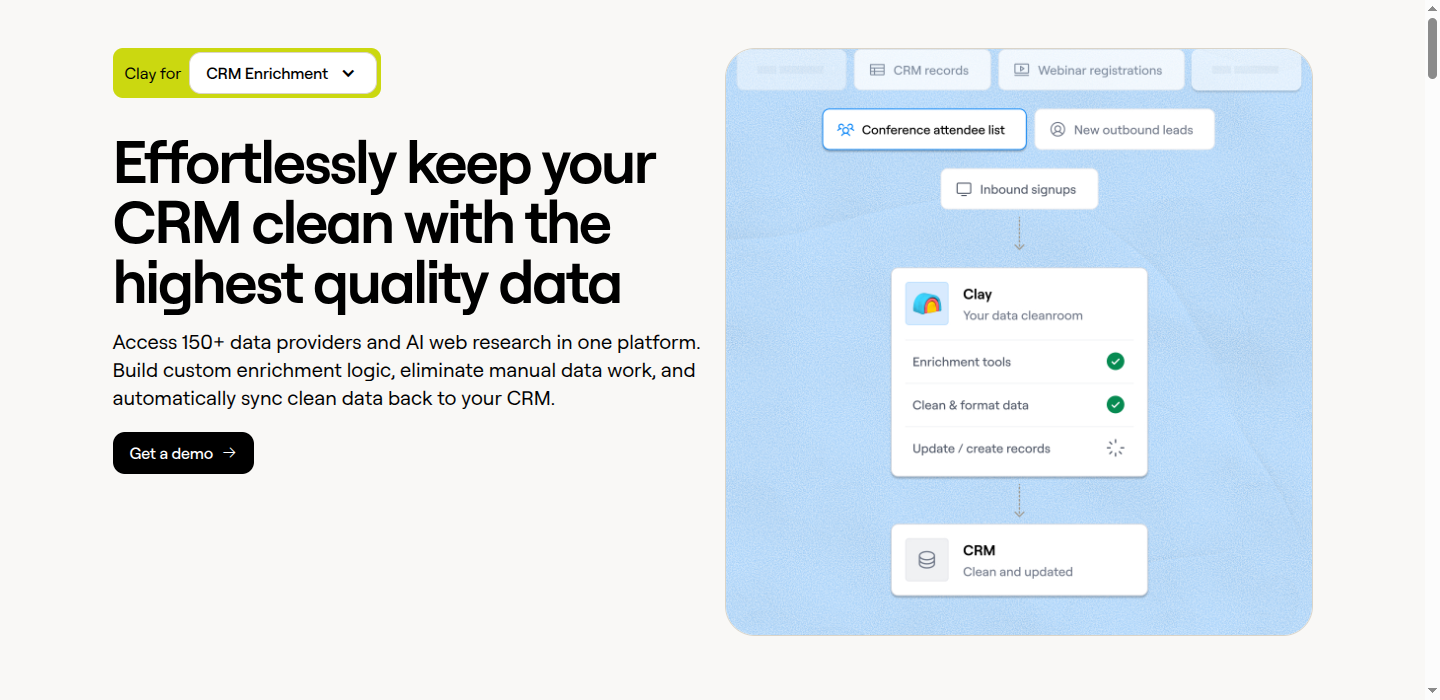
Once you’ve built your waterfall, connect it to your CRM:
For Salesforce
- Use Clay’s native Salesforce integration
- Pull records needing enrichment (e.g., “Email is null”)
- Run your waterfall
- Push results back to Salesforce
Set this to run on a schedule (daily/weekly) to combat data decay.
For HubSpot
- Connect Clay to HubSpot
- Create a workflow that tags records for enrichment
- Pull tagged records into Clay
- Run waterfall
- Push enriched data back and remove the tag
You can also use Breeze Intelligence for simpler, real-time enrichment and Clay for deep batch enrichment.
When not to use waterfalls
Waterfalls aren’t always the answer:
Skip waterfalls when:
- You need real-time enrichment (use native CRM enrichment instead)
- You only need one data type and one provider has great coverage
- Your volume is too low to justify the complexity
Use waterfalls when:
- Single providers give <70% coverage
- You’re building prospecting lists from scratch
- You need maximum data quality for high-value outreach
- You’re enriching data for ABM campaigns
FAQ
How many providers should I use in a waterfall?
Three to four. Going from one provider to three typically jumps your coverage from around 45% to 78%. Adding a fourth gets you to about 84%. After that, each additional provider adds 1-2 percentage points at most.
Which email provider should go first in the waterfall?
Findymail. Clay’s 2025 benchmark ranked it #1 for email accuracy across regions. It returns fewer raw results than Apollo, but under 5% of them bounce, compared to 8-12% bounce rates from larger-database providers. Since the waterfall catches what Findymail misses, you get both accuracy and coverage.
Do I still need a separate email verifier?
Not for Findymail results. Findymail verifies every email before returning it, including catch-all domains. For emails from other providers in your waterfall (Hunter, Apollo, Dropcontact), run them through Findymail’s standalone verifier in Clay. This replaces the traditional NeverBounce or ZeroBounce step and handles catch-all verification, which those tools can’t do.
How much does a waterfall cost per email found?
It depends on your providers, but a typical 3-provider waterfall costs $0.02-0.05 per email found. Each fallback provider only charges when it finds a result, so your second and third providers run on smaller and smaller subsets of your list. A 1,000-record run might cost $50-80 total across all providers.
Can I run a waterfall on existing CRM data?
Yes. Pull records with missing emails from Salesforce or HubSpot into a Clay table, run the waterfall, then push results back. Most teams do this quarterly to combat data decay. You can also set it up on a schedule so new records get enriched automatically.
What about catch-all domains?
Catch-all domains accept mail to any address, so most providers can’t tell if an email is real or a dead alias. They either guess (high bounce risk) or skip the domain entirely (lower coverage). Findymail has proprietary catch-all verification that resolves these. This is the main reason it outperforms on accuracy in independent tests.
Does provider order affect cost?
Yes. Your first provider runs on every record. Your second only runs on records the first missed. By the third or fourth provider, you’re running on a small subset. Put your best provider first so fewer records need fallbacks. This also means your most expensive provider can go first without blowing your budget, since it processes the most records but has the highest hit rate.
Related guides
- Clay 101: Understanding Data Orchestration — Start here if you’re new to Clay
- The Modern Outbound Data Stack — How waterfalls fit into outbound workflows
- The B2B Data Decay Problem — Why continuous enrichment matters
- Data Enrichment vs Appending — Understanding different approaches
- HubSpot Breeze Intelligence Guide — Alternative for real-time enrichment
- HubSpot Data Enrichment — Native and third-party options for HubSpot